

Beyond Touchscreens
Designing a new interaction framework for Verizon Business phone support
- Product discovery
- Interaction design
- Content and authoring systems
- Client partnership
- Context
- Verizon Business phone support for One Talk
- Challenge
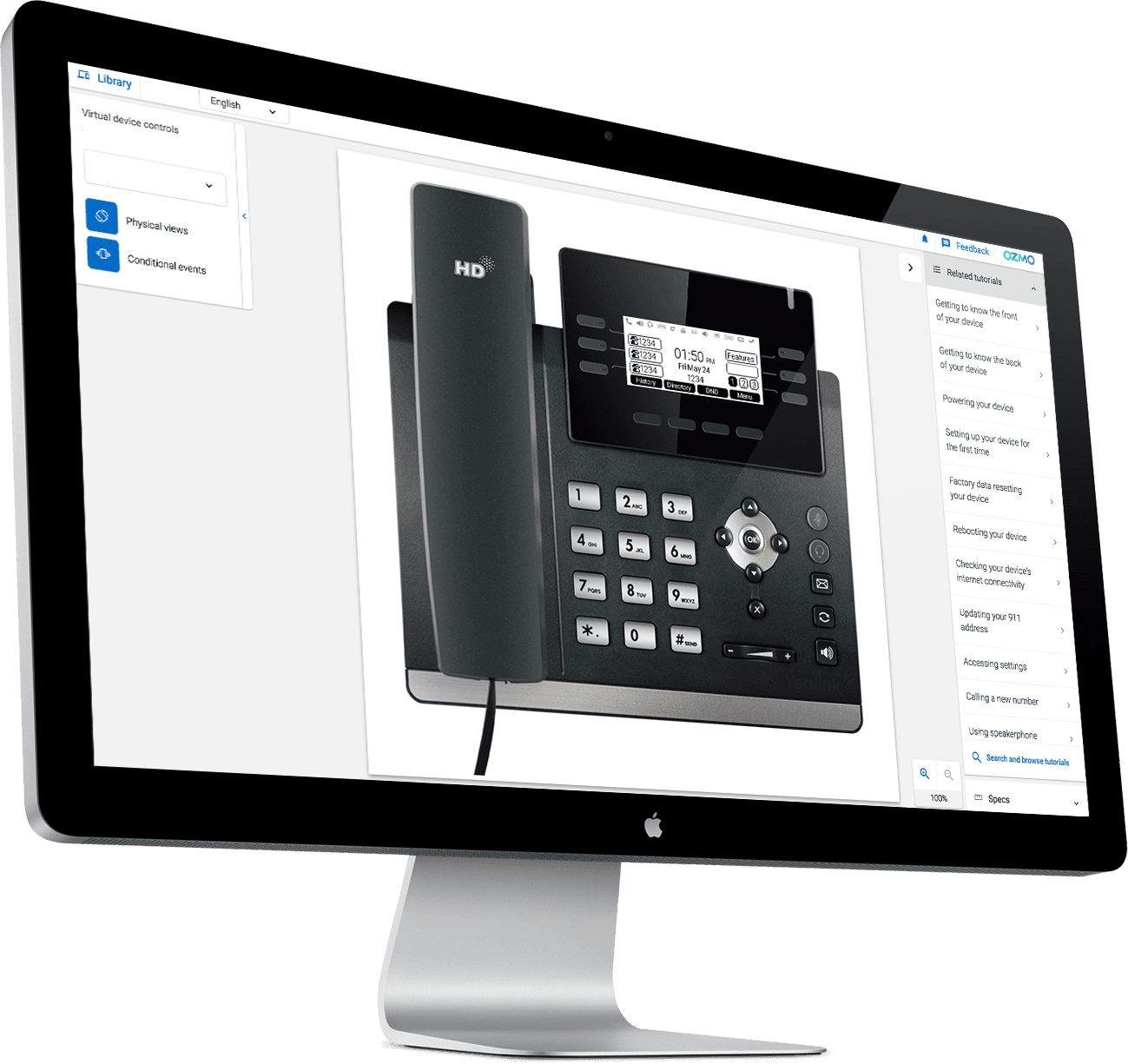
- Extending a touchscreen-first virtual-device platform to physical-button desk phones
- My role
- Product discovery, primary designer of the interaction framework, owner of the authoring approach
- Collaboration
- Ozmo's frontend lead, the wider product and engineering team, and Verizon Business stakeholders
- Outcome
- A new interaction and authoring approach behind Ozmo's virtual business phones and guided tutorials
- Title
- Senior Process AnalystOzmo's product-owner role, before the company adopted product-manager titles.
01 · The problem
Supporting phones agents couldn't always reach
Ozmo already ran a library of virtual devices and interactive tutorials for Verizon's consumer support. Verizon's business division wanted the same for One Talk, its multi-line business phone service, which runs on desk phones from manufacturers such as Yealink. I was part of the introductory calls that shaped that expansion, and I helped kick off the initiative with executive leaders in Verizon's business division.
The agents supporting those phones worked from shared inventories of physical devices. They sometimes had to wait for a phone, the model a customer owned wasn't always on hand, and the troubleshooting documentation was thin. Walking a customer through a reset started with finding the right phone.
Before
- Request arrives
- Find the right physical phone and documentation
- Guide the customer
With Ozmo
- Request arrives
- Open the model-specific virtual phone or tutorial
- Follow or share guided steps
A comparison of the support capabilities available, not a measured study. Physical phones stayed in use.
02 · Discovery
Discovering the workflows that mattered most
I ran discovery interviews with customer service agents over Zoom to understand how they actually handled business-phone calls. The clearest finding was concentration. A small set of tasks, chiefly setting up and resetting phones, made up most of the demand.
~75%+
of support calls involved setup and reset tasks
My estimate from discovery interviews · not a measured figure
That changed what good meant. Accuracy mattered more than breadth. An agent guiding a reset needed every screen, setting and menu path on the virtual phone to match the real device, because the customer was holding the real one.
Ozmo's own case study later listed setting up and resetting desk phones among the tutorials agents used most (Ozmo, 2021).
03 · Interaction design
Designing a new interaction language
Ozmo's virtual-device framework was built around touchscreens. On a touchscreen, choosing something and doing it are a single gesture: you tap the setting and it opens.
Business desk phones split that gesture in two. A directional pad moves through a menu, soft keys change meaning with each screen, and a separate key confirms. Between moving and confirming, the phone holds an active selection: one item is highlighted, and nothing has happened yet.
The framework had no way to represent that in-between state, so I designed one. The model gives every screen an explicit active selection that navigation changes and confirmation acts on. I was the primary designer of that model, and I worked closely with Ozmo's frontend lead to define its behaviour and fit it into the existing product.
Try both models
Settings
Network
Display
Ring tones
Factory reset
Business phone
- Navigate
- Change active selection
- Confirm
- Activate
Active selection: Network. Use the arrow keys to move, OK to confirm.
Moving and choosing are separate acts. The phone holds an active selection between them, so the model needs that state to exist even when nothing has been chosen.
Retrospective illustration of the interaction concept · simplified, fictional menu
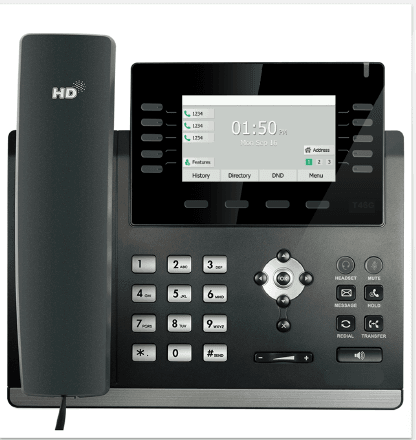
The demo is a simplified illustration of the concept. Real devices add soft keys, nested menus and model-specific screens, which is why the behaviour had to be defined per device rather than once.
04 · Authoring system
Making the new interactions authorable
I started at Ozmo as a developer before moving into business analysis and product, so I knew how virtual devices and tutorials were actually made. Every one was produced from authored content. A new interaction model was only useful if the content team could write it down, device after device.
I owned the authoring approach for the new controls. It covered two things we called requirements, structured definitions of functionality, behaviours, conditions and device-specific interactions, and step-text, the instructional description behind each tutorial step. Both had to express physical buttons and the active selection.
Ozmo already had tooling that generated parts of the implementation from authored content. We adapted it to understand the new controls, so much of the code for each phone could be generated from what was authored instead of written by hand. That is what turned one working design into something Ozmo could produce repeatedly.
Authored
Device behaviour and controls
Which keys a model has, what each screen shows, and where the active selection can move.
Approach I owned
Requirements
Structured definitions of functionality, behaviours, conditions, and device-specific interactions.
Approach I owned
Step-text
The instructional description behind each explicit tutorial step.
Generated
Existing Ozmo tooling, adapted
Authoring and code generation
Ozmo's existing tooling, adapted so the new physical-button controls and active selection could be generated from authored content.
Delivered
Virtual-device interactions
Agents navigate a model-specific phone with its real keys and screens.
Guided tutorials
Step-by-step setup and troubleshooting that agents follow or share.
05 · What it enabled
From shared hardware to guided support
The work put Verizon's business phones in front of every agent:
- Virtual, model-specific business phones, navigated with their real keys
- Guided setup and troubleshooting for the tasks that dominated demand
- Screens, settings and menu paths that matched the real devices
- Less dependence on finding the right physical phone
- Tutorials agents could share with customers, where supported
Supporting One Talk opened a new line of business between Ozmo and Verizon's business division. Ozmo's December 2020 case study records Verizon extending its use of Ozmo to its small and medium business VoIP solutions (Ozmo, 2020).
06 · Reflection
Designing across the whole system
Supporting a new kind of device turned out to be a question about the whole system. The interaction model had to exist in three places at once: in what agents saw on screen, in what authors wrote, and in what the tooling generated. A design that worked in only one of those would have stayed a prototype.
Having been a developer, an analyst and a product owner at the same company let me follow the decision through each layer. I still work that way. I trace a design choice down to every place it has to become real before I call it done.
Sources
- VoIP case study · Ozmo, August 2021Product imagery of the virtual desk phones, and the list of tutorials agents used most. The customer is anonymized; its usage figures are not attributed to this work.
- Verizon saves tens of millions of dollars each year with Ozmo · Ozmo, December 2020Documents Verizon extending its use of Ozmo to its small and medium business VoIP solutions. Its outcome figures describe the wider Verizon program since 2012, not this project.
- Verizon One Talk launches Ozmo's remote video solution · Ozmo, 24 September 2024Describes One Talk as a multi-line business phone solution using Ozmo's agent platform and self-serve tutorials. Remote video is a later, separate product.
- Virtual device library · Ozmo, May 2020Shows that Ozmo's virtual devices predate this work.
Product images © Ozmo, reproduced from its published case study. The interactive demo and the authoring diagram are retrospective reconstructions.
Building something complex?
I help teams turn strategic ambition into the structures, decisions, and delivery practices needed to make progress.